

Website Templates
Professional one-page templates for different kinds of service businesses.
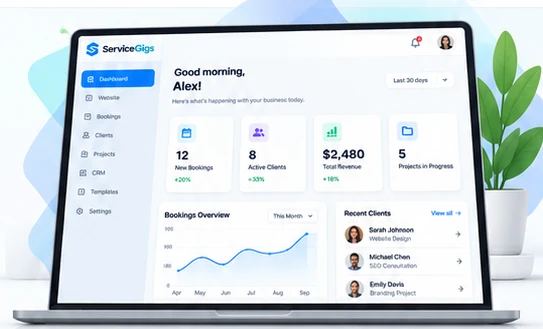
Browse Templates →Build a professional website, manage clients, accept bookings and grow your service business — all in one place. Designed for freelancers, creators and service-based businesses.
 ProfessionalPresent your business beautifully
 FastCreate and preview in your browser
 Client-FriendlyGive clients a smoother experience
 No Coding NeededSimple editors for everyday work
Everything you need to build, manage and grow your service business — in one platform.

Create a responsive single-page website with editable sections and downloadable ZIP.
→
Share a booking link so clients can request available appointment times.
→
Make custom intake forms and collect enquiries through public share links.
→
Track milestones and share client approval and progress pages.
→
Show your work with professional public portfolio pages.
→
Organize client contacts, leads, stages, notes and follow-ups.
→Kickstart your business with editable templates, clear walkthroughs and original guides.
Professional one-page templates for different kinds of service businesses.
Browse Templates →

From idea to a shareable service presence, without technical setup for the website builder.
Pick a design and customize its colors, business text and images.
Use booking, form, portfolio and CRM modules after workspace setup.
Download your website ZIP, publish it on your own hosting and start attracting clients.
See how different service professionals can use ServiceGigs. The examples below are illustrative scenarios, not customer testimonials.

“Create a polished one-page portfolio, present services clearly and receive booking requests from clients.”

“Organize leads, collect project briefs and share project progress from one simple workspace.”

“Build a professional online presence, manage enquiries and keep client follow-ups organized.”
Find quick answers to the most common questions about ServiceGigs.
Yes. You can start with the website builder and explore the core ServiceGigs tools without a subscription.
Freelancers, photographers, designers, consultants and many other service-based businesses can use the platform.
No. The website builder is designed so you can customize and export a professional single-page website without writing code.
The current core tools are free. If optional premium features are introduced later, free and paid features will be clearly identified.
Yes. Download your generated website ZIP and deploy it to compatible hosting connected to your own domain.
Yes. Use the ServiceGigs contact page for product questions and support requests. Never send passwords or confidential payment details.
Build your first professional page and explore the business tools.